|
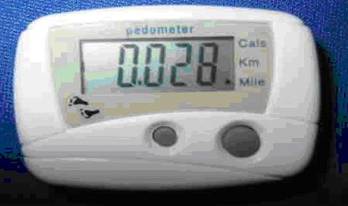
You can usually find
inexpensive digital pedometers near the checkout stand in many stores.
I have seen these things in drug stores, food stores and even shoe
stores. They cost about $5 and usually look like the models shown
below. They are clipped onto a belt and have a swinging pendulum switch
inside, which makes contact with each step taken. There usually is a
pushbutton switch, to set the mode of operation and a second switch to
reset the count to zero. Some models just have a single reset button
and only count steps. Most have at least 5 digits for a maximum count
of 99,999. They are usually powered by a single small 1.5v alkaline
button cell. |
|
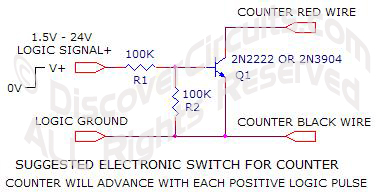
It is fairly easy to
open up one of these things and replace the mechanical pendulum switch
with either an external electronic transistor switch, controlled by some
logic signal, or a simple mechanical switch, such as a pushbutton. With
a simple modification, this device can count something other than
footsteps. Since the device was originally used to count footsteps, the
electronics of the module restricts the counting rate about 3 counts per
second. If you are going to use this thing often, I would suggest
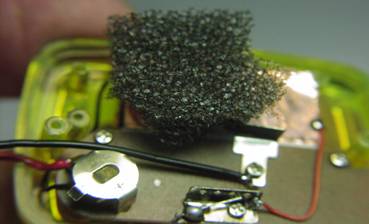
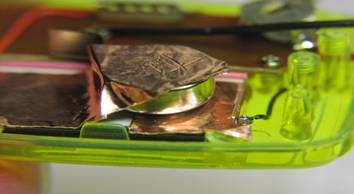
removing the small 1.5 volt button battery and replace it with a larger
cell. A #357 silver oxide cell should keep the thing operating for
years. I used a couple small wires and some copper foil adhesive tape,
to mount the large cell inside the case. A bit of foam rubber will hold
the cell in place, when the case back is reinstalled. |
 |
 |
|
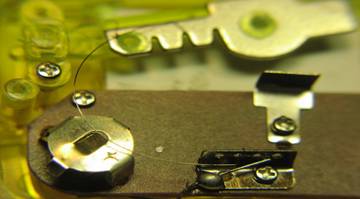
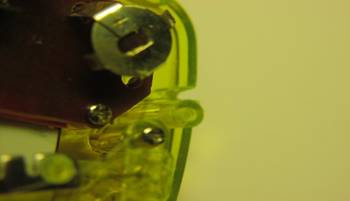
To start the
modification process, first remove the back of the assembly. Usually
two small screws hold the back on. With the back removed, note the
termination metal plate for the thin spring wire attached to the
pendulum weight. Also note the contact pad, which the pendulum strikes,
with each footstep |
|
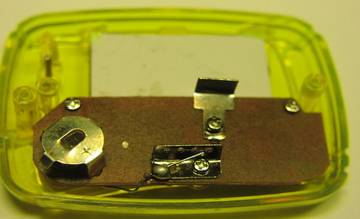
Next, remove the whole
pendulum assembly, including the thin spring wire. Usually only one
screw holds the assembly together. |
|
Next, file a groove
about 1/8” wide and 1/16” deep on the edge of the plastic case, next to
the silver battery holder. The groove will be used to route two thin
insulated wires through the plastic case. |
|
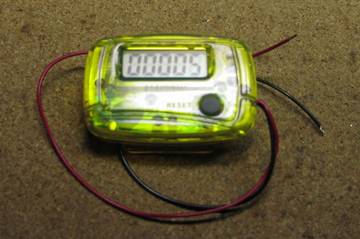
Next, solder a small
gauge red wire to the battery case and a similar black wire to the
pendulum contact metal tab. The two wires can be almost any length.
These wires will be routed to either an external mechanical switch or an
electronic transistor switch. |
|
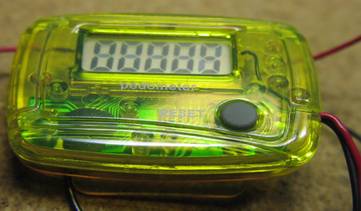
After soldering the
two wires, you can then reinstall the back plastic case to the main
assembly. Test the counting unit by briefly touching the ends of red
and black wires together. The count should advance each time the
stripped wire ends touch. |
 |
 |
|
Pedometer Unit to Be
Modified |
Pedometer Back
Removed,
Note Pendulum Weight on Top |
 |
 |
|
Pendulum Assembly
Removed |
Slot Cut into Case for
Two Switch Wires |
 |
 |
|
Red and Black Wires Soldered to Switch Contacts
Routed Through Slotted Hole |
#357 Battery Cell
Installed Using Copper Foil |
 |
|
Completed Counter
Assembly |
|
 |